
Orthopedic Patient Intake Software
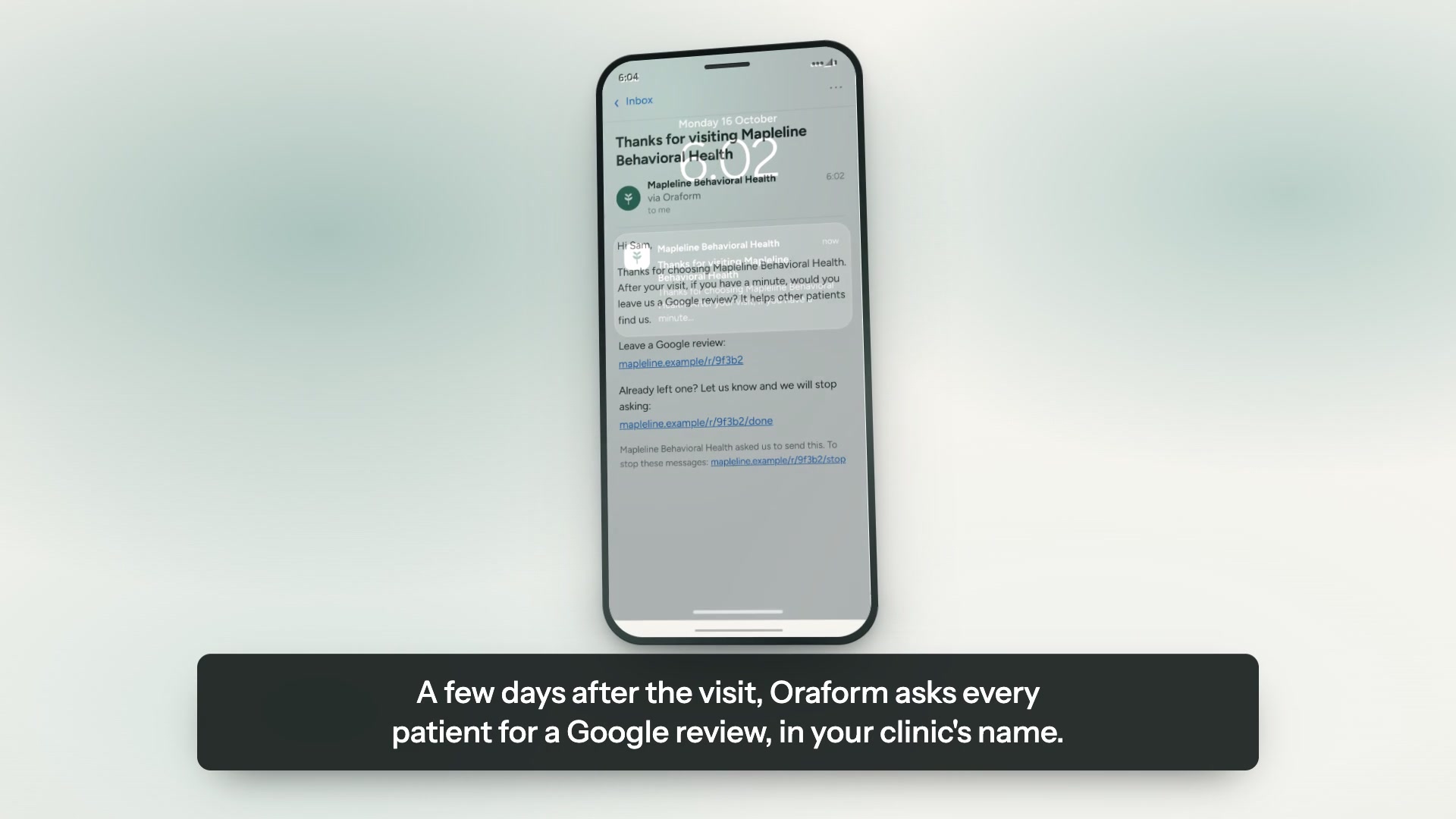
Patients tell you which of your services interest them, and get asked for a Google review after the visit — all from the joint history, prior imaging and surgical background you gather before the consult rather than during it.
Send us your forms — free sampleTry a live sample form
Opens the new-patient intake from our demo practice. It is a general-practice form, not an orthopedic one — the orthopedic version is what we would build from yours.

A real Oraform form on a phone, from our demo practice. The questions change by specialty; the experience does not.
The forms you can put online
We rebuild what you already hand patients — same questions, same wording, in your colours.
- New-patient intake
- Injury & joint history
- Pain scale & body diagram
- Functional outcome measure
- Imaging & surgical history
- Imaging and procedure consent
What matters in orthopedic
A history that is long on paper and short on a phone
Prior surgeries, injections, imaging and injuries make a form that reads as a wall of fields. Short, easy screens, with answers saved as the patient goes, are the difference between a history you get and a history you chase.
Pain scales and body diagrams that work with a thumb
A 0–10 scale is a row of large tap targets rather than a line of tiny circles, and a body diagram is tapped where it hurts. Both are faster on a phone than on paper.
Outcome measures you can send again
The questionnaire you repeat at six weeks is the one patients stop filling in. Send the same form again as a link; the answers land in the same place, and you can export the set as Excel rather than re-reading twelve sheets of paper.
ID and insurance card scan
An optional step: the patient photographs the card and the details are filled in, instead of being typed once by the patient and again by the desk.
Drop-off by question, so you can see what to cut
The dashboard ranks the question patients stop on. Usually it is one or two — often the one asking for a photo — and making it optional is a two-minute change.
Three steps, about a week.
The same round trip every practice runs: a code at the front desk, the form on a phone, the answers in your dashboard.
Send us your forms
A PDF, a Word file, a link, or a photograph of the sheet on your desk. Whatever you have is enough to start.
We rebuild them, free
Same questions, same wording, in your colours and your logo. You review it before a patient ever sees it.
Patients finish on a phone
A link or a QR code at the front desk. No app, no account, progress saved as they go.
Built for patient information
Encrypted in transit and at rest, hosted on Google Cloud, with every view and export logged. We sign a business associate agreement with every practice. We do not say “HIPAA compliant” or “certified” — neither is ours to say.
- HIPAA-ready
- BAA available
- Encrypted at rest & in transit
- Hosted on Google Cloud
- Every view and export logged
Questions about orthopedic forms
Can patients fill it in at the front desk?
Yes. A QR code on the desk opens the form in the patient's own browser, with no app and no account. A practice tablet works the same way.
Does it work with our practice management software?
Not as a direct integration today. There is no write-back into Epic, Athena, Modernizing Medicine or anything else. Each submission exports as a PDF for the chart or as Excel for the data, and every view and export is logged. Tell us if an integration is what you need — it is the request we hear most often.
Can we send the same outcome measure again later?
Yes. An outcome questionnaire is a form like any other, so you can send the link again at six weeks or six months. Each submission is separate and timestamped, and exporting the set as Excel is how you look across them.
Do patients need an account?
No. A link or a QR code, and they start. Finish later gives a patient who stops halfway a private link back to the question they left on.
What does it cost?
Starter is $79 a month per location billed annually, or $99 monthly, with unlimited forms, submissions and users. Growth adds patient referrals, service follow-ups and patient insights at $159 billed annually or $199 monthly. Setup — where we rebuild your forms for you — is free on both, and there is no contract on monthly. The full breakdown is on the pricing page.
More from Oraform
Get a free sample of your form.
Send us the forms you hand patients today and we'll turn them into working Oraform samples — your logo on them, finished on a phone or a computer. We rebuild all of your forms free, and free setup comes with it. No cost, no commitment, nothing to cancel.
We'll send your sample within one business day, with your logo on it — a link you can open on a phone or a computer and hand straight to a patient.
Nothing to do in the meantime. If you'd rather talk it through, email forms@oraform.health or call (312) 635-5523.